To anyone who still have not found the solution to download the bluprint/craftsy videos, I highly recommend Allavsoft.
I have used it to successfully download all my purchased videos to my computer. Now I am moving them to my external hard drive. Allavsoft has both Windows and Mac version.
The following is the step by step guide, you may also refer to this guide
https://www.allavsoft.com/how-to/dow...c-and-mac.htmlStep 1 Download, install and run Allavsoft.
Download the latest version of the Bluprint Video Downloader here - Allavsoft (
for Windows ,
for Mac) , install and then launch it, the following interface will pop up.
Step 2 Copy and paste the bluprint video url to Allavsoft.
Copy and paste
https://shop.mybluprint.com/account/class-library to the Paste URL text box of Allavsoft.
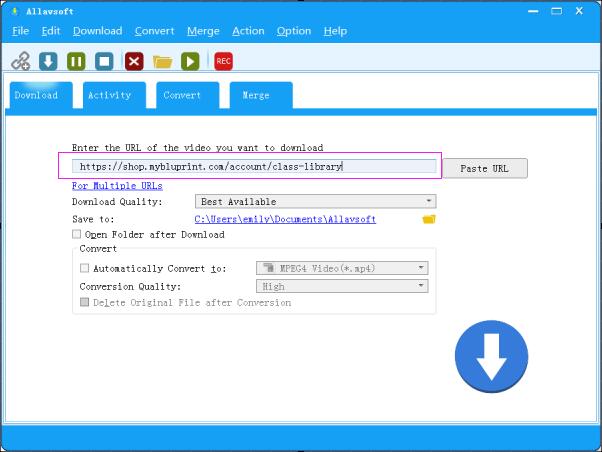
Step 3 Check before Download All Items in Playlist
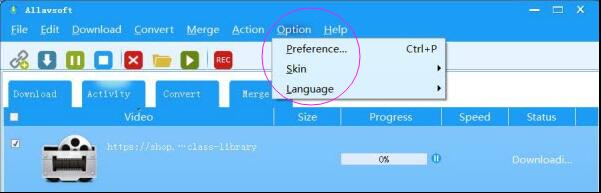
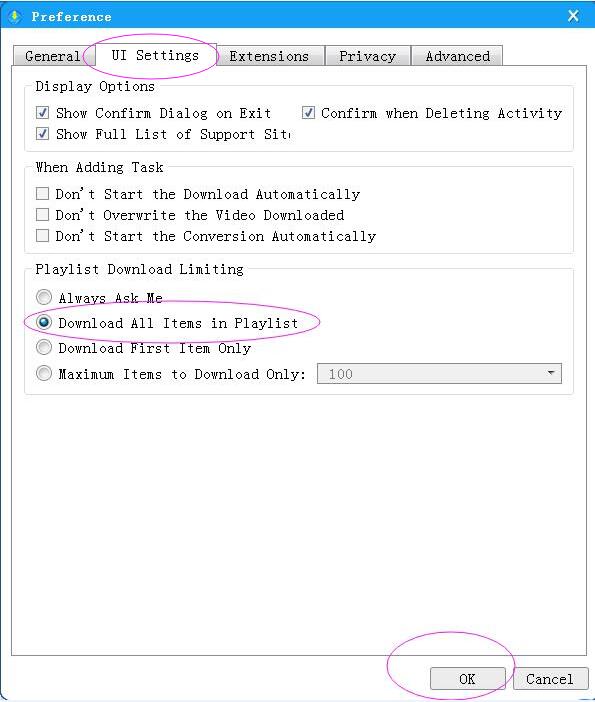
Click Option -> Preference to open the Preference window and switch to UI Setting panel and check before Download All Items in Playlist and click OK
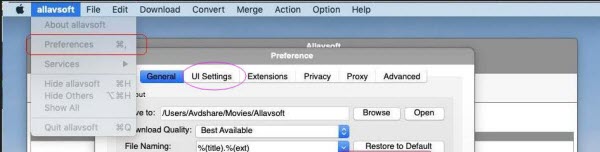
Click allavsoft -> Preference to open the Preference window and switch to UI Setting panel and check before Download All Items in Playlist and click OK (Mac users can find the Preference in allavsoft menu on the top left of your computer screen.)
When the Download All Items in Playlist is checked, it will download all the videos you have access in browser or bluprint app.
Step 4 Click Download button
Click Download button to start the downloading bluprint videos process. After a while, a pop up window will pop up to let you input your bluprint account log in email address and password. Then it will firstly download the first lessons of all the classes and then download the rest ones.
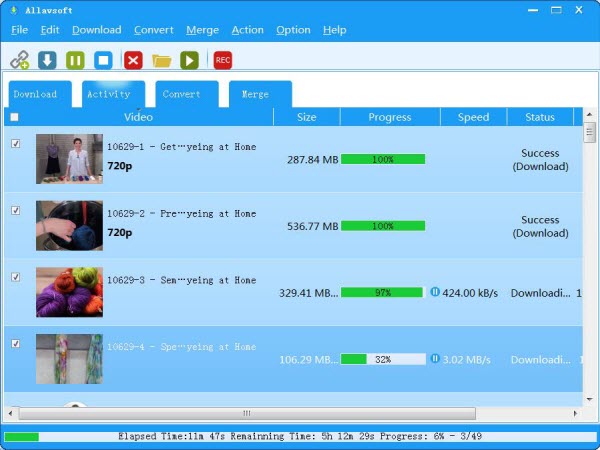 Note (Very Important) Please do read the following tips and solution if you fail to download the bluprint video classes.
- If you get the Invalid Token error message, please send your bluprint account emaill address and password to [email protected] to let us manually enter your log in information to bluprint so as to successfully download the bluprint video classess with the help of Allavsoft.
- As soon as we manually input your log in information to bluprint, you can use Allavsoft to download the videos. We will send you a message via email after we manually input your log in to blueprint. Though a lot of Bluprint users are contacting us and many of them are waiting in line, it will take maximum 24 hours to manually enter your bluprint log in.
Allavsoft offers a free trial or, you can also purchase Allavsoft Software at a starting cost of $19.99…